

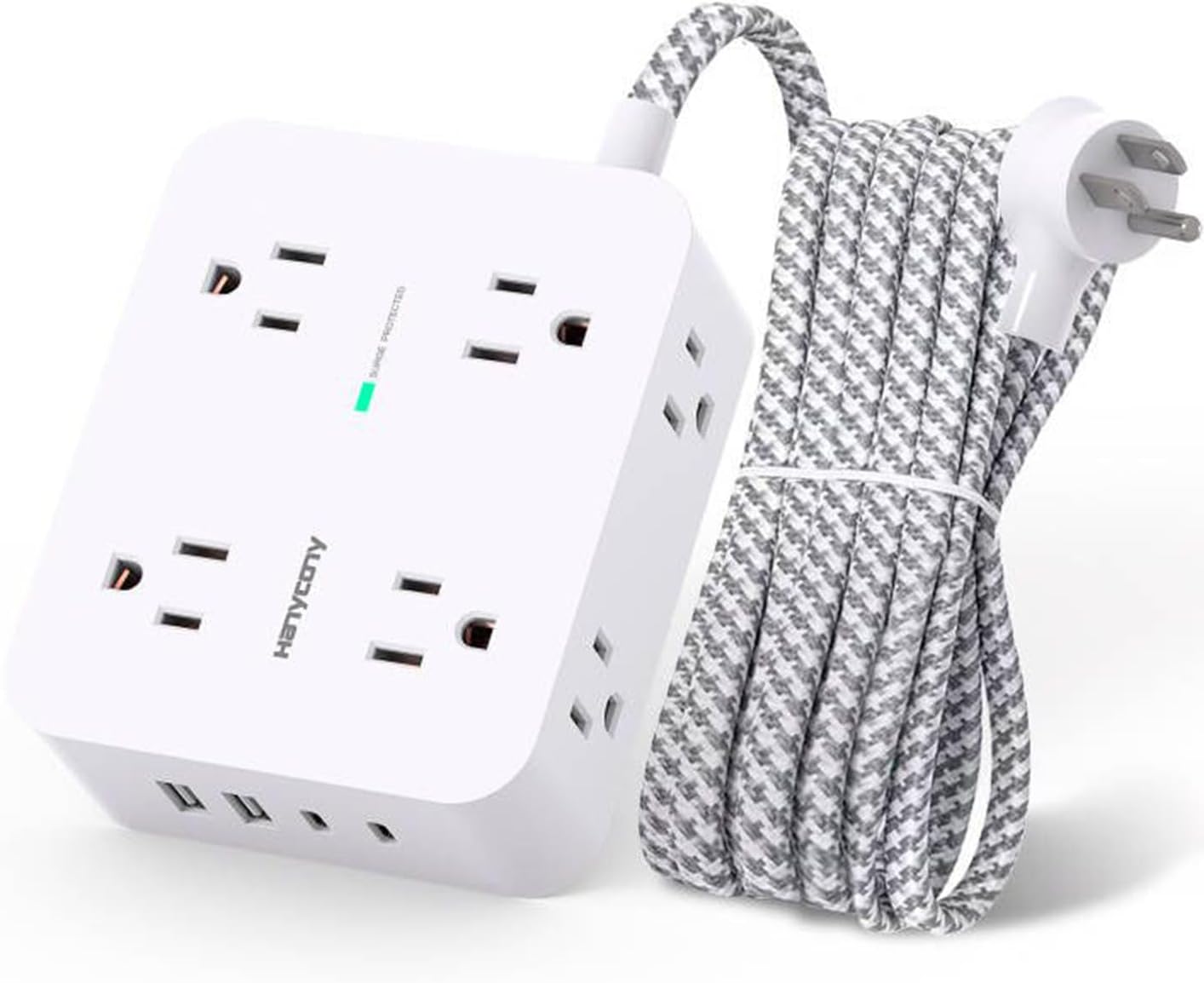

Some gear is boring until the day it matters. A surge protector power strip is one of those things. It sits behind the desk or under the TV, nobody thinks about it, and then a storm rolls through or a cheap charger misbehaves and you find out whether you spent your money well.
This is a buyer’s overview of the power strip extension category, using the HANYCONY style of strip (multiple outlets, USB ports, a long cord) as the example. It is not a hands-on review. It is what to check before you buy any strip like it.
What a Surge Protector Actually Does
A surge is a short spike in voltage. It can come from lightning, from the utility switching equipment, or from big appliances in your own house cycling on and off. Electronics can survive small spikes for a while, but they wear down over time, and one large spike can end a laptop or TV in an instant.
A surge protector has internal components that divert the excess energy away from your devices. Those components get used up, so a surge protector is a consumable, not a permanent fixture. Many models have an indicator light that shows whether protection is still working. If it goes out, replace the strip.
Also, a plain power strip with no surge protection is just an extension cord with more holes. The label needs to say “surge protector” and list specs.
The Specs That Matter
Joules
The joule rating tells you how much energy the strip can absorb before its protection gives out. Higher is generally better. A few hundred joules is a bare minimum, and 1,000 or more is a more comfortable range for a desk with a computer and monitor. For a home theater or an expensive workstation, go higher.
UL Listing
Look for a UL listing (UL 1449 is the US standard for surge protective devices). It means an outside lab tested the product against a safety standard. ETL is another recognized mark. If a listing says nothing about either, treat its joule claim with suspicion. A strip that absorbs a surge but overheats is no bargain. Check the label photos to make sure the certification applies to the strip itself.
Voltage Protection Rating
This gets less attention than joules, but it tells you the voltage level at which protection kicks in. Lower is better, so compare it across models when it is listed.
Outlet Count and Spacing
Count what you plug in, then add a few for later. Big power bricks hog neighboring outlets on a tightly spaced strip, so look for wider spacing. A flat plug helps behind furniture.
USB-A and USB-C
Built-in USB ports save you a wall charger. Look for at least one USB-C port, since more phones, tablets, and laptops charge that way. Also check the per-port wattage, because the big combined number in the listing is usually shared across ports. A phone will be fine. A laptop may need more than the strip can deliver.
Cord Length
This is what an “extension” strip sells. Five to ten feet is common. Measure from the outlet to where the strip will sit, and add slack. Do not chain a second cord or strip to stretch it. That is a fire risk and can defeat the protection. Buy a longer strip instead.
Travel Versus Home
For travel, you want compact and light, with a couple of outlets, USB-C, and a foldable or flat plug. Hotel outlets are never where you need them. If you are going abroad, remember a surge protector is not a voltage converter or plug adapter.
For home, prioritize outlet count, spacing, and durability. A desk with a computer, monitor, and dock needs room for chunky plugs. An entertainment center needs a higher joule rating.
Safety Habits That Matter More Than the Spec Sheet
- Plug space heaters, microwaves, and other high-draw appliances into the wall, not a strip.
- Do not daisy chain strips.
- Keep the strip in the open, not under a rug or packed into a tight cabinet.
- Check the cord and plug for damage now and then.
- After a major surge or lightning event, treat the strip as used up.
A Quick Checklist for Any Listing
- Is there a UL or ETL certification, with a photo of the label?
- What is the joule rating, and does it fit your gear?
- Can your biggest plug fit beside another one?
- Is there USB-C, and what is the per-port output?
- Does the cord reach without stretching?
- Is there a protection indicator light?
- What do the most recent critical reviews say about heat, loose outlets, or dead USB ports?
If a listing checks those boxes, it is a reasonable candidate. If it dodges questions about certification, keep shopping. You can check the current price and specs on Amazon and compare them against this list.
My Take
I think most people shop on outlet count and price alone. Look at the safety listing first, the joule rating second, and the layout third. A few extra dollars for a certified strip with a good rating and USB-C is cheap insurance for a laptop, monitor, or home studio. And replace it every few years, or after any serious surge, even if it looks fine. If you want to go further, see the current listing here.
As an Amazon Associate, WCP earns from qualifying purchases.